
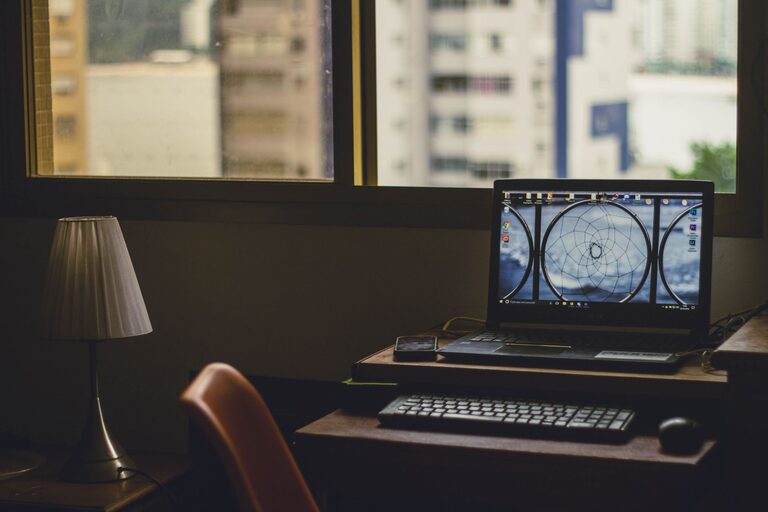
Why a Relaxing Workspace Matters
A home workspace should do more than hold a desk and computer. It should help you feel comfortable, focused, and ready to begin your day. A calm environment can make routine tasks feel easier and help your space support both concentration and creativity.
Creating a relaxing workspace does not require a large room or an expensive makeover. Small improvements, such as better lighting, less clutter, and a comfortable chair, can make a noticeable difference. The key is to design a space that fits your work habits and feels pleasant to use.
Choose the Right Location
Start by choosing the best available spot in your home. If you have a separate room, consider placing your desk near a window or along a wall with enough space for storage. If your workspace is part of a bedroom, living room, or dining area, use furniture and visual boundaries to define it.
Think about the following factors:
– Natural light during the hours you usually work
– Distance from loud appliances or busy walkways
– Access to power outlets
– Enough space for your chair and movement
– A background that feels neat and comfortable
A workspace does not have to be completely private. However, it should feel distinct from areas used for rest, meals, or entertainment. A small rug, shelf, room divider, or change in wall color can help separate the work area from the rest of the room.
Select Comfortable and Practical Furniture
Comfort is an important part of a relaxing workspace. Choose a desk that gives you enough room for your computer, notebook, and other daily items without feeling crowded. A desk with built-in drawers can reduce the need for extra storage, while a simple tabletop allows more flexibility.
Your chair should support a comfortable working position. Look for adjustable height, supportive backrest, and enough room to sit naturally. If possible, test a chair before buying it. A footrest or small cushion may also improve comfort.
Keep frequently used items within easy reach, but avoid filling every surface. A clear area around your computer can make the room feel more open and organized.
Keep Your Layout Flexible
Arrange your furniture so you can move around easily. Avoid placing the desk where drawers, doors, or windows cannot open properly. Leave enough space behind the chair to stand up and move without bumping into other objects.
If your work changes throughout the day, consider a layout that supports different activities. For example, you might use the main desk for computer work and add a small side table for reading, writing, or planning.
Use Lighting to Set the Mood
Lighting has a strong effect on how a workspace feels. Natural light can make a room feel bright and welcoming, so place your desk near a window when practical. Position your screen to reduce glare, and use curtains or blinds to control strong sunlight.
Add layered lighting for cloudy days or evening work. A simple combination might include:
– General room lighting
– A desk lamp for focused tasks
– Soft accent lighting for warmth
Choose a desk lamp with an adjustable arm so you can direct light where it is needed. A lamp with a warm, comfortable glow can make the space feel more inviting after dark. Avoid harsh light aimed directly at your screen or eyes.
You can also use a small floor lamp or wall light to brighten dark corners. Even lighting across the room often feels calmer than relying on one bright source.
Reduce Clutter With Simple Systems
Clutter can make a workspace feel busy, even when the rest of the room is tidy. Instead of trying to organize everything at once, create a few simple systems that are easy to maintain.
Start by dividing items into three groups:
- Items you use every day
- Items you use occasionally
- Items you no longer need nearby
Keep daily items on the desk or in the top drawer. Store occasional items in labeled containers, shelves, or a nearby cabinet. Move unused supplies elsewhere or remove them from the workspace.
Cable management can also improve the appearance of your desk. Use clips, ties, or a cable box to keep cords together and out of the way. A small tray can hold chargers, pens, and other loose items.
At the end of each workday, spend a few minutes returning items to their places. This small habit makes it easier to begin the next day in a clean environment.
Add Natural Elements
Natural details can make a workspace feel more comfortable and connected to the rest of your home. A small plant, vase of branches, wooden accessory, or bowl of stones can add texture without taking up much space.
Choose low-maintenance plants if you do not want regular care. You can also use natural materials such as cotton, linen, bamboo, or unfinished wood in your desk accessories and storage.
A view of the outdoors is another useful feature. If your desk faces a window, keep the area around it fairly clear. If there is no window nearby, artwork featuring landscapes or natural colors can create a similar sense of openness.
Choose Calming Colors and Textures
Color can influence the character of a room. Soft neutral shades, muted greens, gentle blues, and warm earth tones often create a calm backdrop. You do not need to repaint the entire room; a small accent wall, artwork, or desk accessories can introduce a new color.
Texture also adds comfort. Consider a woven basket, soft rug, fabric noticeboard, or cushioned chair. These details can make a workspace feel less formal and more inviting.
Try to limit competing patterns and very bright colors if you want a peaceful atmosphere. One or two accent colors are usually enough to give the room personality without making it feel visually crowded.
Personalize the Space Carefully
A relaxing workspace should feel like yours. Add a few items that make you feel comfortable or inspired, such as a framed print, favorite photograph, small collection, or meaningful object.
Keep personal touches selective. Too many decorations can take up useful space and create visual clutter. Choose items that you enjoy seeing and that fit the overall look of the room.
You might also create a small comfort corner with a reading chair, soft lamp, or place for a cup of tea. This gives you a separate spot to pause during the day without leaving the room entirely.
Create Boundaries Around Work Time
A peaceful workspace is easier to maintain when it has clear boundaries. If possible, begin and end your workday at consistent times. Use a short routine to signal when work starts, such as opening your planner, turning on a desk lamp, or preparing your materials.
At the end of the day, close open tabs, put away supplies, and clear the main work surface. If your workspace is in a shared room, cover the desk or place work items in a cabinet to create a stronger separation between work and personal time.
The goal is not perfection. A few repeatable habits can help your workspace remain calm without requiring a major daily effort.
Make Small Improvements Over Time
You do not need to complete your workspace in one weekend. Begin with the changes that will have the greatest effect, such as improving your chair, moving the desk, or removing unnecessary items. Then adjust the space as you learn what works best.
Pay attention to how you use the room throughout the day. You may discover that you need more storage, a different lamp position, or a clearer area for writing. Let the workspace develop gradually.
A relaxing home workspace combines comfort, order, good lighting, and personal style. With a few thoughtful changes, even a small corner can become a welcoming place to focus, create, and finish the day with less distraction.